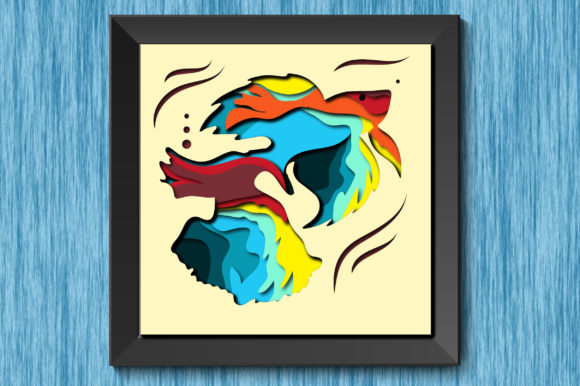
3D Betta Fish Paper Cut Shadow Box Guide
There is a specific kind of magic that happens when flat paper transforms into a living, breathing scene through the play of light and shadow. The 3D Betta Fish Paper Cut Shadow Box captures this essence perfectly, merging the delicate artistry of traditional papercutting with modern digital precision. For creators, designers, and hobbyists alike, these designs offer more than just a pretty image; they provide a structured foundation for building depth, texture, and narrative within a confined space. Whether you are a small business owner looking to create unique home decor or an educator teaching layers of design, understanding how to leverage these assets can elevate your creative output significantly.
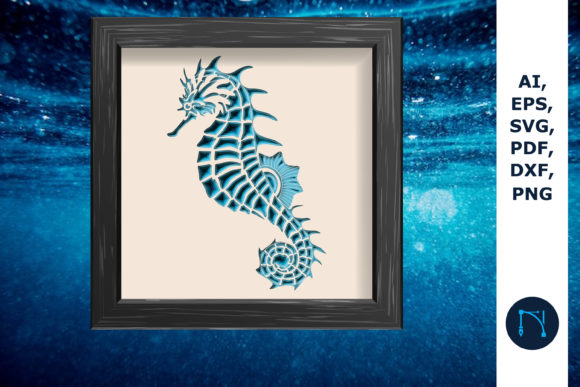
At its core, a 3D shadow box relies on the strategic layering of materials to create an illusion of three-dimensionality. The Betta fish, with its flowing fins and vibrant coloration, serves as an ideal subject for this medium. Its natural form already possesses the curves and volume that translate beautifully into cut paper. When you access high-quality source files like SVG, AI, and PNG formats at 300ppi, you are not just getting an image; you are receiving a toolkit. These original images, free from watermarks and ready for production, allow you to focus entirely on the construction and customization phases of your project rather than struggling with low-resolution graphics or restrictive licensing.
Unlocking Creative Possibilities with Layered Design
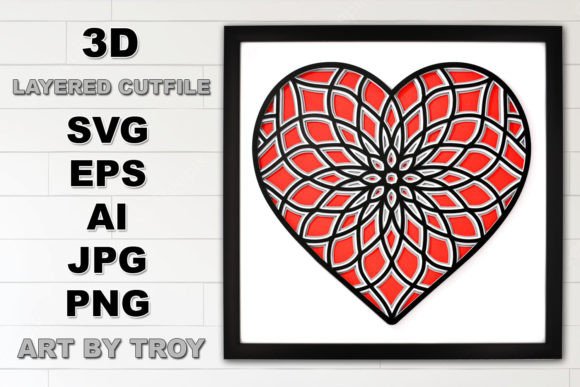
The true power of a 3D Betta Fish Paper Cut Shadow Box lies in its versatility. Because the design is separated into distinct layers, you have the freedom to interpret the scene in countless ways. You are not bound to a single color palette or material choice. This flexibility invites experimentation, which is crucial for keeping your work fresh and engaging.
Consider the following approaches to adapting these designs for different contexts:
- Material Variation: While standard cardstock is common, try using translucent vellum for the fins to mimic the delicate, see-through quality of a real Betta's movement. Alternatively, use textured handmade paper for the background elements to add a rustic, organic feel.
- Lighting Integration: The "shadow" aspect of the box is dependent on light. Experiment with LED strips placed behind specific layers to highlight the fish, or use natural window light to cast dynamic shadows that change throughout the day.
- Scale Adaptation: Thanks to vector files (SVG and AI), you can resize the design without losing quality. Create a miniature version for a greeting card or scale it up for a large-scale wall installation in a boutique or office.
- Contextual Storytelling: Place the Betta in different environments. Add cut-out aquatic plants, bubbles, or stones to the foreground and background layers to tell a specific story about the fish's habitat.
For marketers and bloggers, these visual assets can be repurposed into compelling content. A time-lapse video of the assembly process makes for excellent social media engagement, while high-resolution PNGs can be used in digital lookbooks or product listings. The key is to view the file set not as a static end-product, but as a modular system that responds to your specific audience needs.
Technical Advantages of High-Resolution File Formats
When working on professional projects, the quality of your source files dictates the quality of your final result. Receiving a set that includes SVG vector files, AI (Adobe Illustrator) files, and PNG raster files at 300ppi ensures that you are equipped for both digital and physical applications.
Vector files (SVG and AI) are essential for anyone using cutting machines like Cricut or Silhouette. These formats allow for unlimited resizing. Whether you need a 2-inch emblem or a 2-foot centerpiece, the lines remain crisp and clean. There is no pixelation, no blurring, and no loss of detail. This is particularly important for intricate designs like the fine rays of a Betta fish's fin, where a low-quality file might result in torn paper or jagged edges during the cutting process.
On the other hand, the 300ppi PNG files are indispensable for previewing designs, creating mockups, or producing prints where layer separation isn't required immediately. Having these original images without watermarks means you can present professional proofs to clients or publish clear tutorials without distracting overlays obscuring the details. This level of clarity builds trust with your audience and demonstrates a commitment to quality.
Practical Applications Across Different Industries
The utility of a 3D Betta Fish Paper Cut Shadow Box extends far beyond personal hobbyism. Various professionals can integrate these designs into their workflows to add value to their services or products.
Small Business Owners and Makers: Handmade goods carry a premium in today's market. By utilizing these layered designs, you can produce limited-edition home decor items. The ability to customize colors allows you to offer personalized options to customers, such as matching the fish colors to a client's interior design scheme. This customization capability is a strong selling point that distinguishes your brand from mass-produced retailers.
Educators and Workshop Leaders: Teaching the principles of depth, perspective, and light can be abstract. A shadow box project makes these concepts tangible. Instructors can use the pre-cut layers to demonstrate how spacing affects shadow intensity and how overlapping shapes create volume. It is a practical, hands-on way to engage students in STEAM (Science, Technology, Engineering, Arts, and Mathematics) activities.
Interior Designers and Stylists: Custom art pieces are often the focal point of a room. A well-executed shadow box adds texture to a flat wall. Designers can use these templates to create bespoke art for clients who love aquatic themes or nature-inspired decor. The depth of the box interacts with room lighting, making the artwork feel alive and changing its appearance based on the time of day.
Maintaining Consistency and Quality in Production
To ensure your final output remains effective and professional, organization is key. When working with multiple layers, it is easy to lose track of the sequence or orientation of each piece. Here are some practical recommendations for maintaining consistency:
- Label Your Layers: Before cutting, digitally label each layer in your AI or SVG file (e.g., "Background," "Mid-ground Plants," "Fish Body," "Foreground Fin"). This prevents confusion during assembly, especially if you are producing multiple units.
- Test Cuts: Always perform a test cut on a scrap piece of your chosen material. Different papers have different densities and fiber structures. What works for cardstock might tear tissue paper. Adjust your machine settings accordingly to ensure clean edges.
- Spacing Uniformity: Use foam tape or spacer blocks of consistent thickness between layers. Uneven spacing can distort the 3D effect and make the shadows look messy rather than intentional.
- Color Harmony: Stick to a defined color palette. While the temptation to use every color available is strong, a cohesive scheme (such as analogous blues and greens or a monochromatic teal theme) often yields a more sophisticated and visually pleasing result.
Ultimately, the goal is to create something that resonates with viewers. The 3D Betta Fish Paper Cut Shadow Box provides the structure, but your creativity provides the soul. By combining high-quality, versatile file formats with thoughtful material choices and precise assembly, you can produce work that stands out in a crowded marketplace. Whether you are crafting for joy, education, or commerce, these tools empower you to push the boundaries of what paper can do. Embrace the layers, experiment with the light, and let the fluid motion of the Betta fish inspire your next great creation.